

Build progress updates that keep buyers in the loop.
Admins update build progress in the Office Portal, stage by stage, and buyers see each update in their app with a description, date and photos. Buyers stay informed from reservation to completion, in line with New Homes Quality Board (NHQB) requirements.
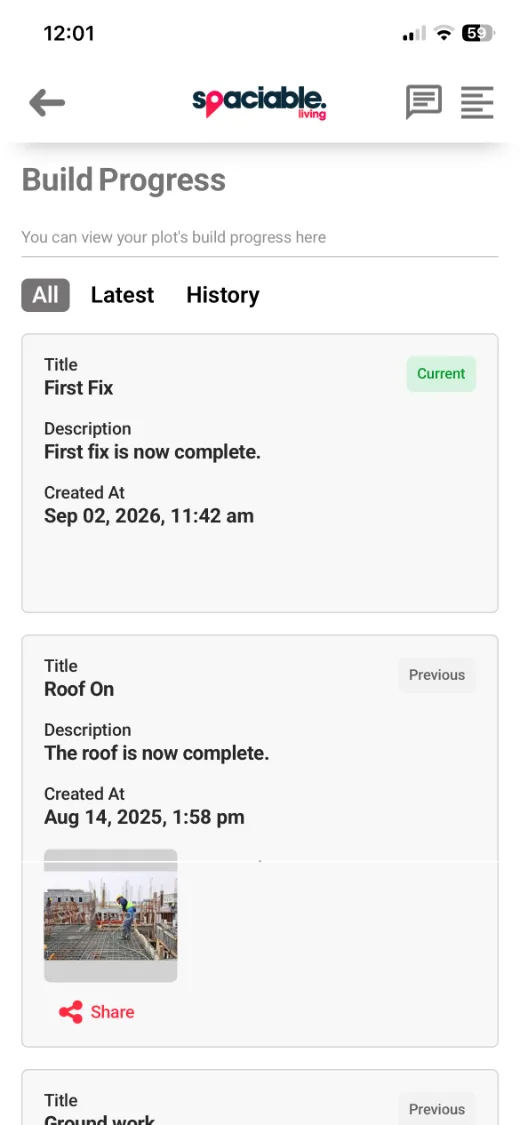
- See the current build stage.
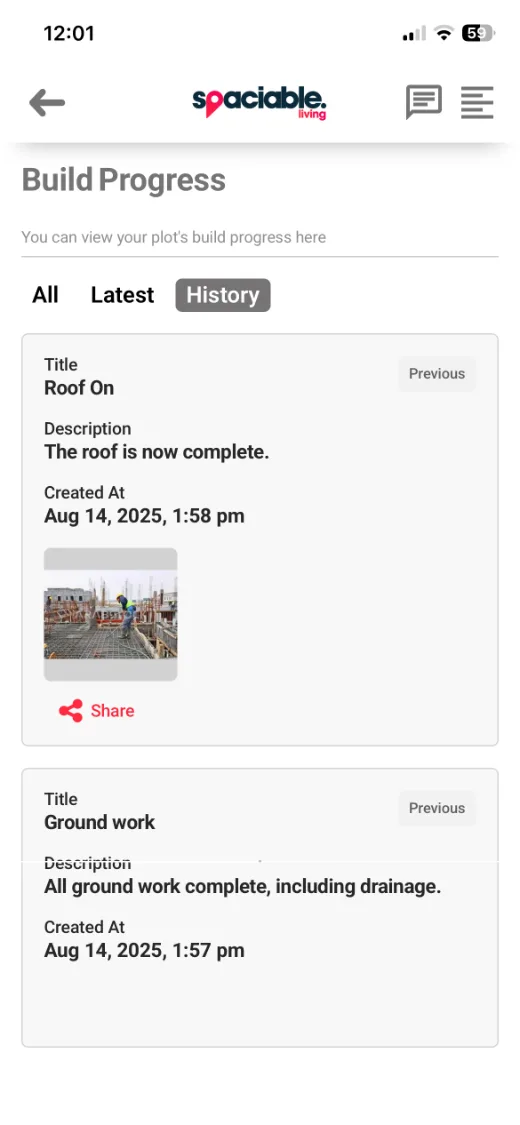
- Look back at previous stages.
How build progress updates works.
- 01
Set your build stages.
Create the stages in the order they happen, such as ground work, roof on, watertight and first fix.
- 02
Update progress.
Mark the current stage and add a description and photos at plot level.
- 03
Buyers stay informed.
Buyers see the current and previous stages in their app, and can share updates with friends and family.
One feature, two views.
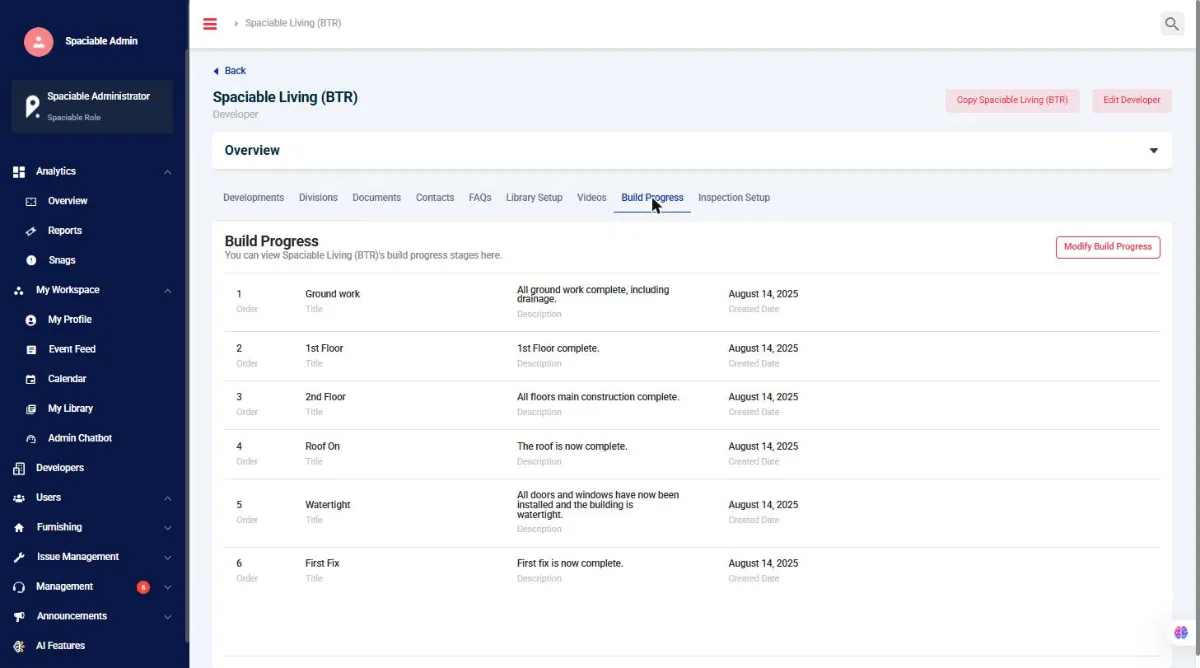
For sales and site teams.
- Ordered build stages
- Title, description and date for each stage
- Modify build progress at any time
For homebuyers.
- Current and previous stages
- Photos of progress on site
- Share updates with friends and family
Why keep buyers updated on build progress.
Buyers waiting for a new home want to know how it is progressing. Without regular updates, they call the sales team to ask.
The New Homes Quality Code expects developers to keep buyers informed. Regular updates in the app meet that expectation, reduce calls and keep buyers engaged through to completion.
Because build progress sits in the same platform as every other Spaciable feature, there is no separate licence to pay for, and no extra system for your team to learn.
- NHQB requirements
- Keep buyers informed throughout the build.
- Fewer calls
- Buyers check progress in the app.
- Fewer fall-throughs
- Engaged buyers stay on track to completion.
- Shareable
- Buyers share milestones with friends and family.
Used most in.
Related features.
Build progress updates FAQs.
How do we update build progress?+
From the Build Progress tab in the Office Portal. Set your stages in order, then modify build progress as each stage completes.
What do buyers see?+
The current stage and previous stages in their app, each with a title, description, date and any photos you add.
Can we update build progress for specific homes?+
Yes. Build progress can be updated at division, development, phase or plot level.
Does this help with NHQB requirements?+
Yes. Regular build progress updates help you keep buyers informed, in line with the New Homes Quality Code.
Can buyers share updates?+
Yes. Buyers can share an update with friends and family from the app.