

Resident and plot management across every development.
Buyers who register through your sales listing portal are added to the CRM with their key details and priorities. When a plot is reserved, the record feeds through into Spaciable, where the buyer is invited to their app.

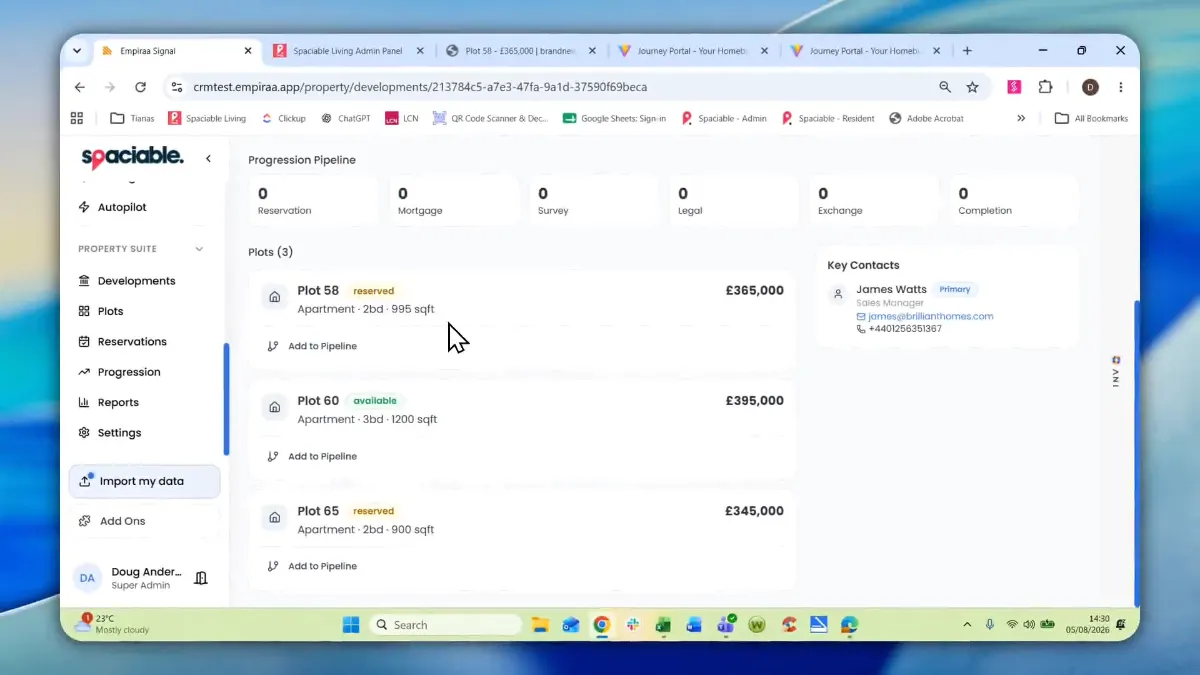
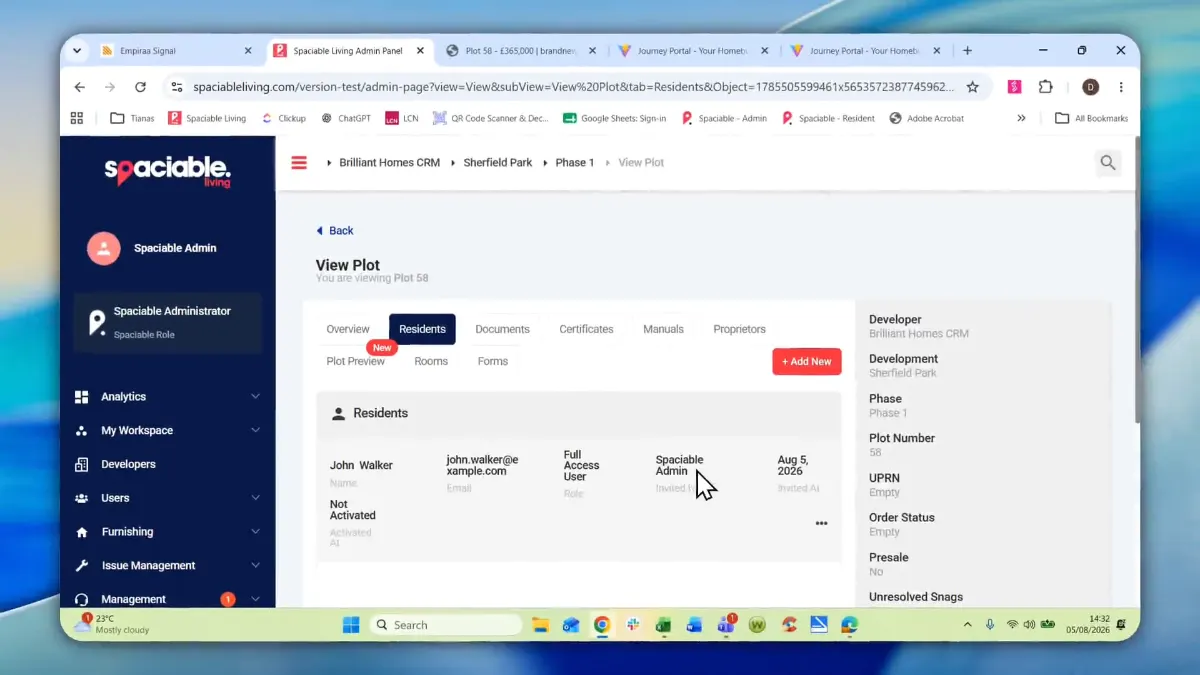
- Capture buyer details and priorities.
- Track each plot through the pipeline.
- Invite residents to their app.
How resident and plot management works.
- 01
Buyers register interest.
Prospective buyers view plots on your sales listing portal, register their interest and select their preferences.
- 02
Reserve and update.
Reservation and payment happen through the portal. The listing changes to Reserved and the CRM is updated with the plot status.
- 03
Invite to the app.
The buyer is added to Spaciable and invited to their app, where you can share information and communicate with them.
One feature, two views.
For sales and site teams.
- Divisions, developments, phases and plots
- Residents and their status on each plot
- Plot progression pipeline
- Individual accounts for every team member

For prospective buyers.
- Browse available plots
- Register interest
- Set preferences
- Reserve and pay online
Why teams keep plots and residents in one system.
When plot status, buyer details and resident records sit in separate spreadsheets, double bookings and missed updates follow.
Spaciable connects the sales listing, CRM and resident app, so each plot has one up-to-date record.
See how this works in Spaciable 2.0.
- No double bookings
- Reserved plots update on the listing straight away.
- Enriched buyer records
- Preferences captured at registration tailor future sales conversations.
- One record per plot
- Plot status, residents and documents stay together.
- Faster onboarding
- Buyers are invited to their app when they reserve.
Used most in.
Related features.
Resident & plot management FAQs.
How do buyer details get into Spaciable?+
Buyers register on the sales listing portal and are added to the CRM with their key details and priorities. When they reserve, the record feeds through into Spaciable and they are invited to their app.
Can we manage several developments?+
Yes. The Office Portal is organised by division, development, phase and plot, so your team can move between them without switching systems.
What happens to a listing when a plot is reserved?+
The listing is updated to Reserved, which prevents double bookings, and the CRM is updated with the plot status.