

Live building information, displayed around your developments.
Place/Object Information lets your team create content that residents see in the app when they scan a QR code, from lift instructions to concierge hours and fire safety guidelines. Edits update instantly, in a minimalistic style that doesn’t impact the overall aesthetic.
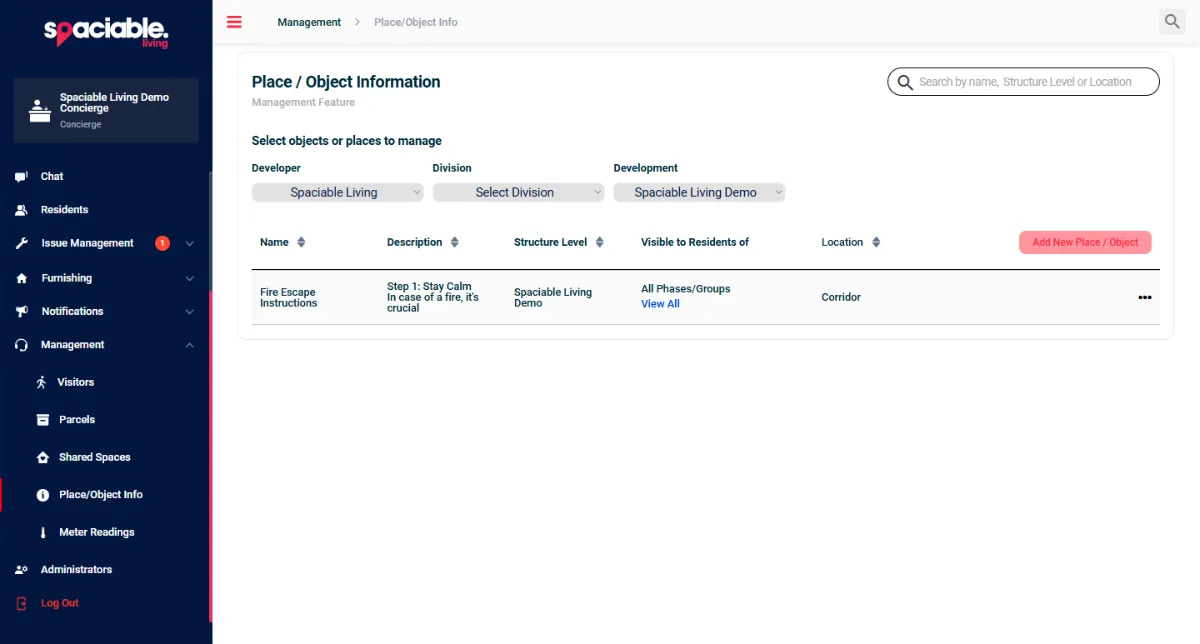
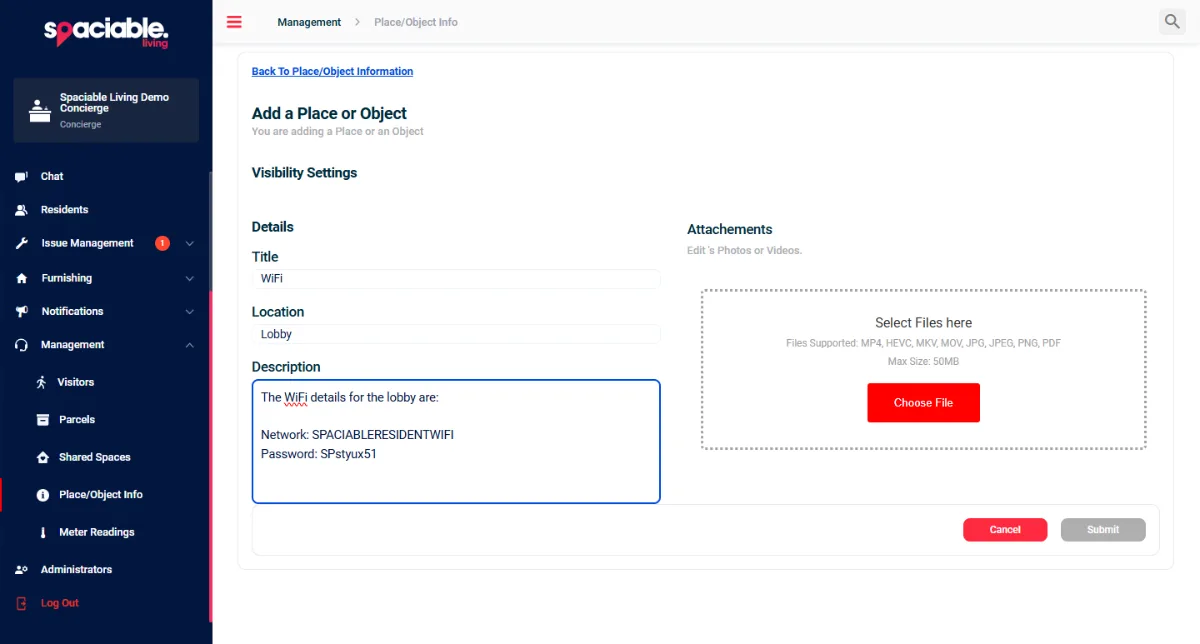
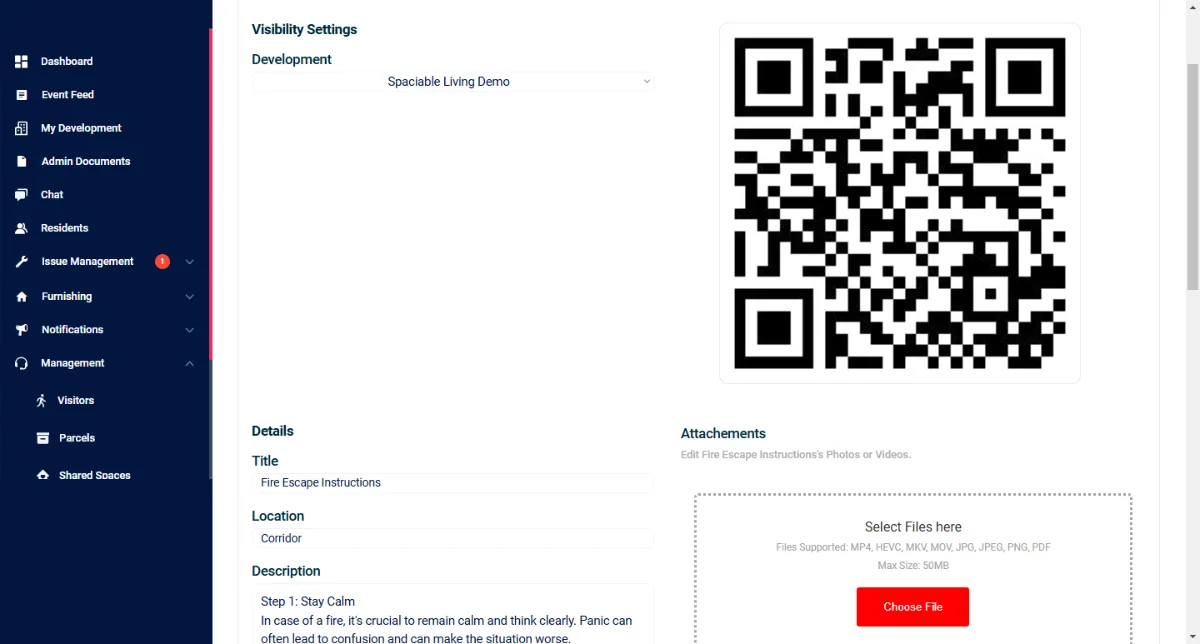
- Create a digital signpost.
- Add text and media.
- Download the QR code.
How digital signage works.
- 01
Create the signpost.
Enter the text and upload an image or video (optional) in the dashboard, then click Submit to generate a QR code.
- 02
Display the QR code.
Download the QR code and display it around the development. Spaciable can produce the codes as stickers, stands or plaques on your behalf.
- 03
Keep it current.
Edit a sign at any time. The change appears instantly when a resident scans the code.
One feature, two views.
For facility and management teams.
- Create and edit signposts
- Add text, images or video
- Download QR codes
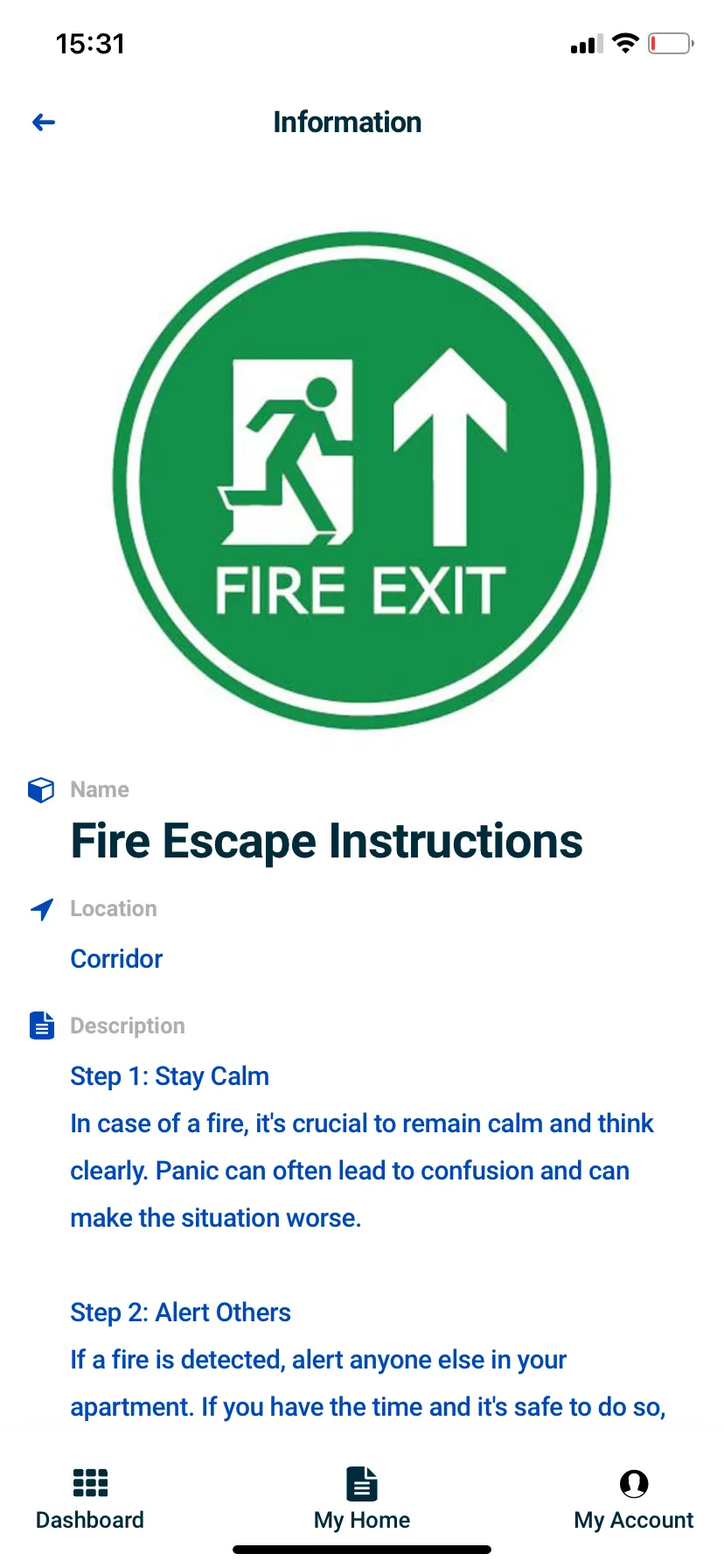
For residents and tenants.
- Scan a QR code to view
- Opens a page in the app
- Always the latest version
Why replace printed notices.
Printed notices go out of date and have to be replaced by hand across every building.
Content behind a QR code is edited once in the dashboard, and residents see the update the next time they scan.
Because digital signage sits in the same platform as every other Spaciable feature, there is no separate licence to pay for, and no extra system for your team to learn.
- Always up to date
- Change the content without reprinting.
- Compliance support
- Fire safety reminders at multiple touchpoints.
- Minimal on the wall
- A QR code instead of a printed poster.
- Fewer queries
- Residents find answers on site.
Used most in.
Related features.
Digital signage FAQs.
What can we display?+
Location-specific information such as lift instructions, details that change such as seasonal concierge hours, and reminders such as fire safety guidelines. Each sign can include text and an optional image or video.
How do residents see the information?+
By scanning the QR code, which opens a page in the app showing the content your team uploaded.
Do we need to reprint notices when something changes?+
No. Edit the sign in the dashboard and the update appears instantly when the code is scanned.
Can Spaciable produce the QR codes?+
Yes. Spaciable can produce the QR codes as stickers, stands or plaques on your behalf.