
Defect and snag reporting, from resident to contractor.
Residents report issues with photos and video from their app. Your team reviews each report, assigns a contractor and keeps everyone updated in real time, with a full record of every step.
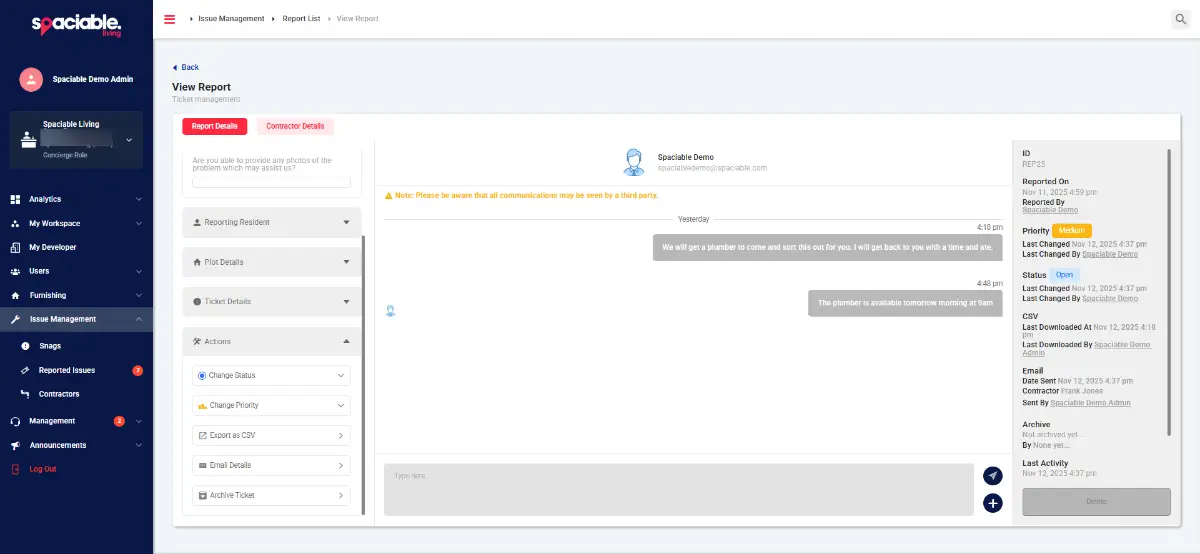
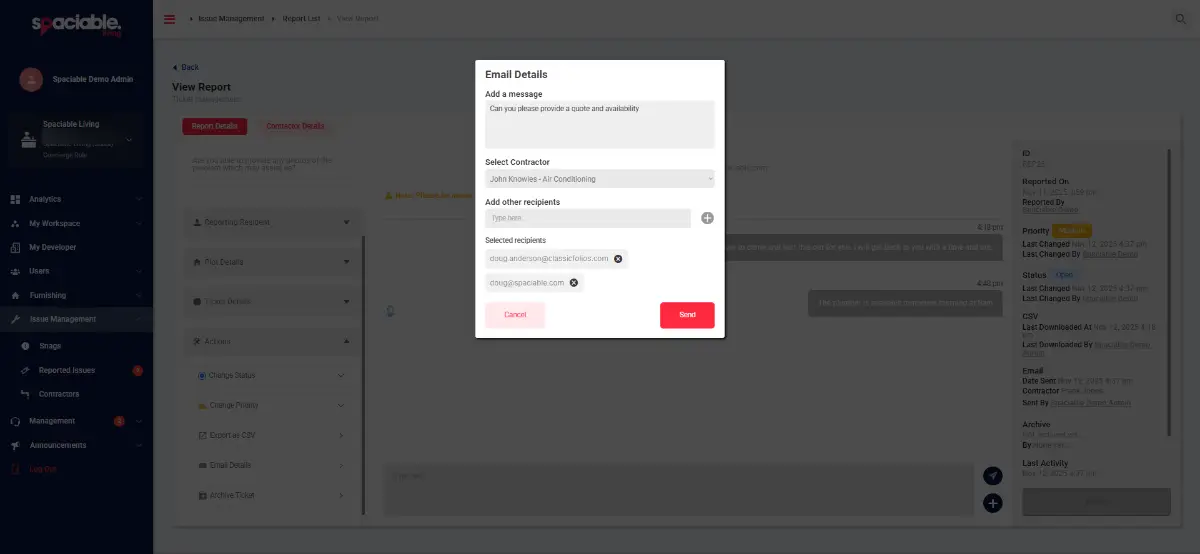
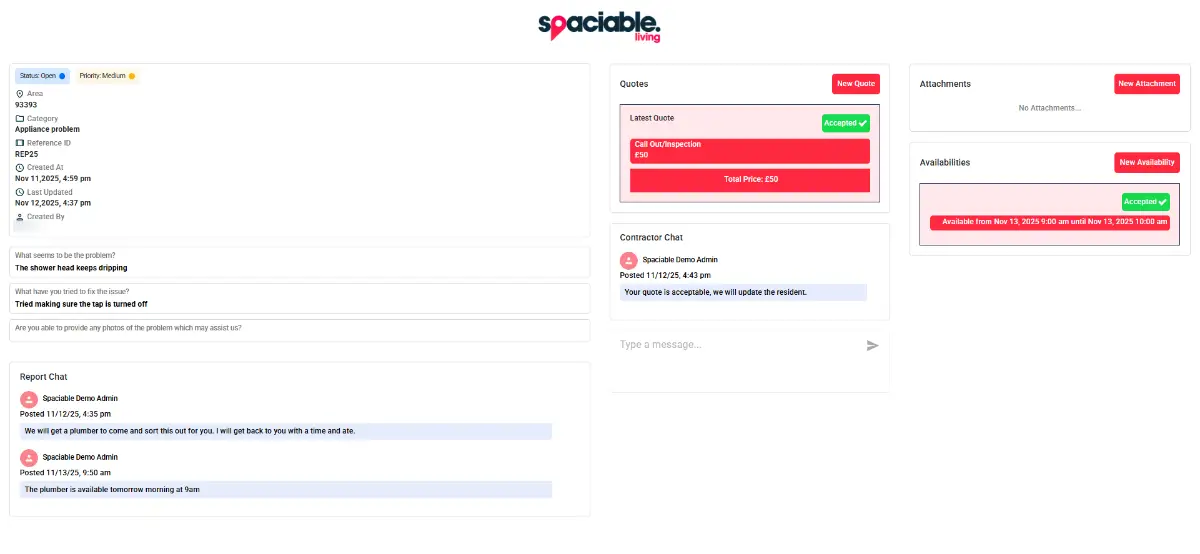
- Review the report and reply to the resident.
- Assign a contractor from your list.
- The contractor sends a quote and availability.
How defect and snag reporting works.
- 01
Resident reports the issue.
Reports start from pre-set templates created in the Admin portal. Residents add text, photos and video.
- 02
Assign a contractor.
Pick a contractor from your list. They receive an email with a link to the report, where they can quote, give availability and upload attachments.
- 03
Resolve and record.
Accept or decline quotes, message the contractor and resident in real time, and unassign a contractor to revoke their access instantly.
One feature, two views.
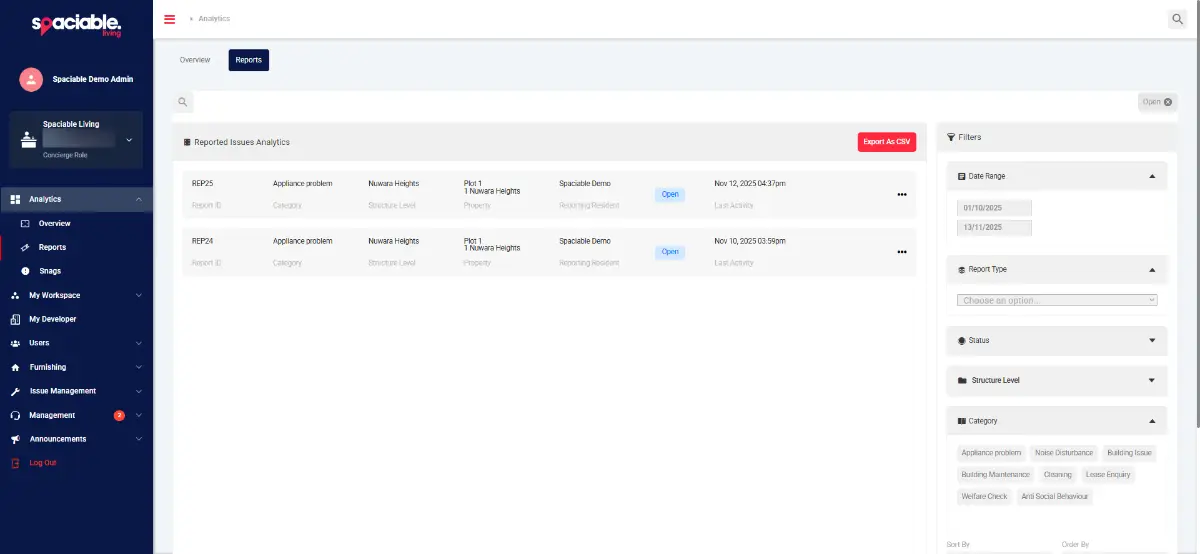
For customer care teams.
- Filter by date, type, status, structure level and category
- Edit reports and change priority
- Customisable contractor list
- Export reports as CSV
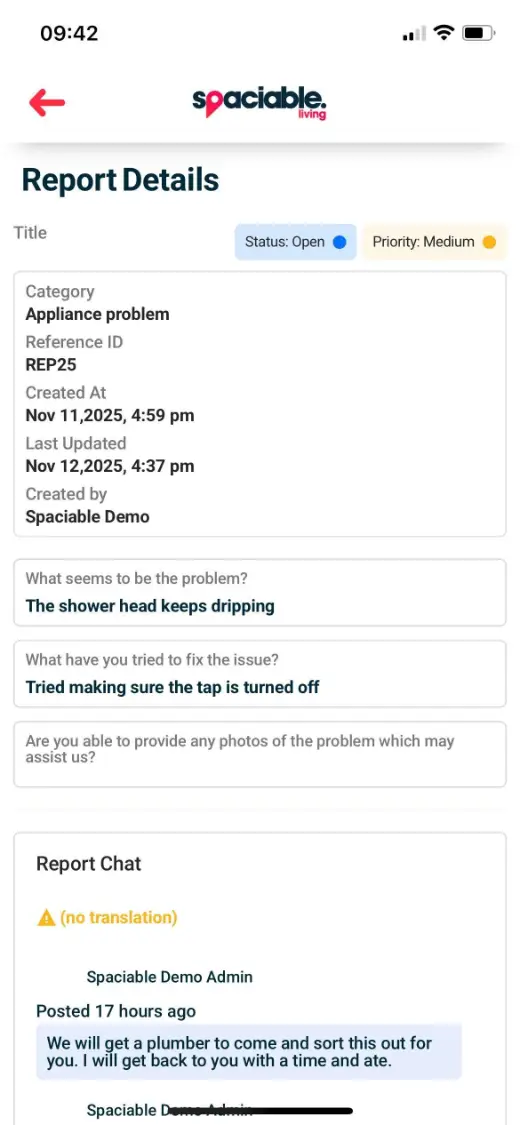
For homebuyers and residents.
- Report from pre-set templates
- Add photos and video
- Chat with your team in real time
- Track the status of every report
Why teams move defects out of inboxes and spreadsheets.
Defects reported by phone and email arrive without the detail your team needs, and the history is spread across inboxes.
Spaciable keeps the report, photos, messages, quotes and status changes together, so issues are resolved faster and nothing is lost.
Because defect reporting sits in the same platform as every other Spaciable feature, there is no separate licence to pay for, and no extra system for your team to learn.
Residents can report defects within the developer liability period, and cosmetic items during a limited snagging period. A symptom checker and supporting photos help your customer care team decide on the best course of action, saving the cost of multiple call-outs.
The New Homes Quality Code expects most after-sales problems to be resolved within 30 calendar days. Spaciable makes issues simple for homeowners to report and easy for admins to audit, supporting its aftercare requirements.
- Better first reports
- Templates, photos and video mean fewer follow-up calls.
- Contractors in the loop
- Contractors quote and confirm availability from a link in their email.
- A transparent record
- Every message, quote and status change is kept against the report.
- Clear reporting
- Filter and export reports to spot recurring issues.
Used most in.
Related features.
Defect & snag reporting FAQs.
Can residents add photos and videos?+
Yes. Residents can add text, images and video to each report, and message your team in real time.
Do contractors need a Spaciable account?+
No. Contractors are emailed a link to a dedicated contractor page, where they can view the report, submit a quote, give availability and add attachments.
Can we customise the types of report?+
Yes. Reports start from pre-set templates that your team creates in the Admin portal.
Can we export reports?+
Yes. You can export all reports or individual reports as a CSV file.
What is the difference between snagging and defect reporting?+
Snagging covers cosmetic items reported during a limited snagging period. Defect reporting covers issues within the developer liability period.
Does it help with NHQB compliance?+
Yes. The New Homes Quality Code expects most after-sales problems to be resolved within 30 calendar days. Every report, message and status change is recorded, so you can audit how each issue was handled.
Can it integrate with our existing defect management software?+
Yes. Spaciable is partnered with Fixflo, and can integrate with other defect management tools.