

Key lending with a full audit trail.
Residents tell site staff when a visitor needs their key, so keys can be released between set times. The Office Portal shows details of any keys left at reception, creating an audit trail that improves security across your developments.
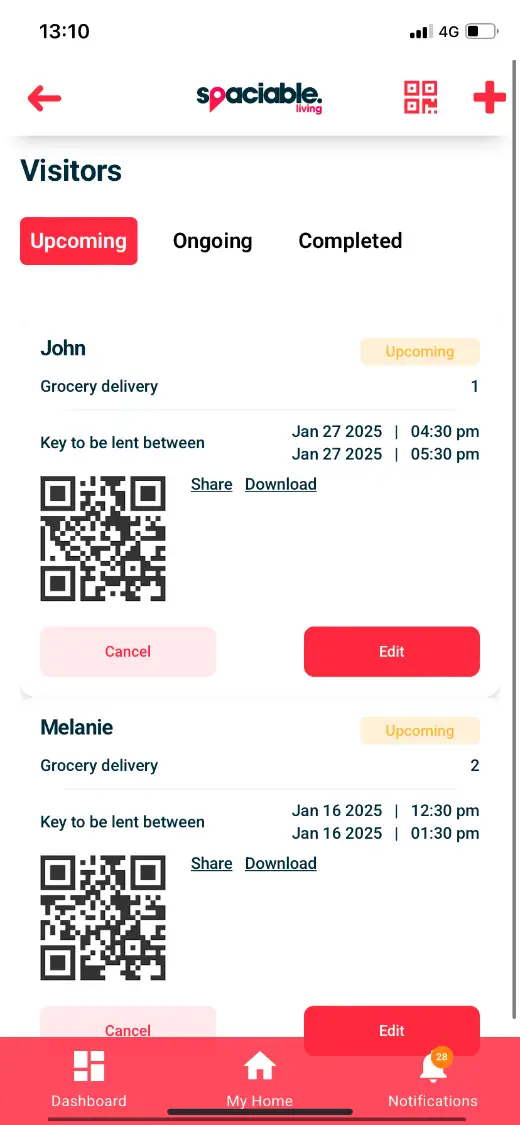
- 01Residents authorise key release.
- 02Reception scans the visitor’s QR code.
How key management works.
- 01
Resident adds a visitor.
Residents add expected visitors in their app, such as tradespeople or deliveries.
- 02
Set the times.
Keys can be released between set times while the resident is away.
- 03
Release and record.
Reception scans the visitor’s QR code, creating an audit trail.
One feature, two views.
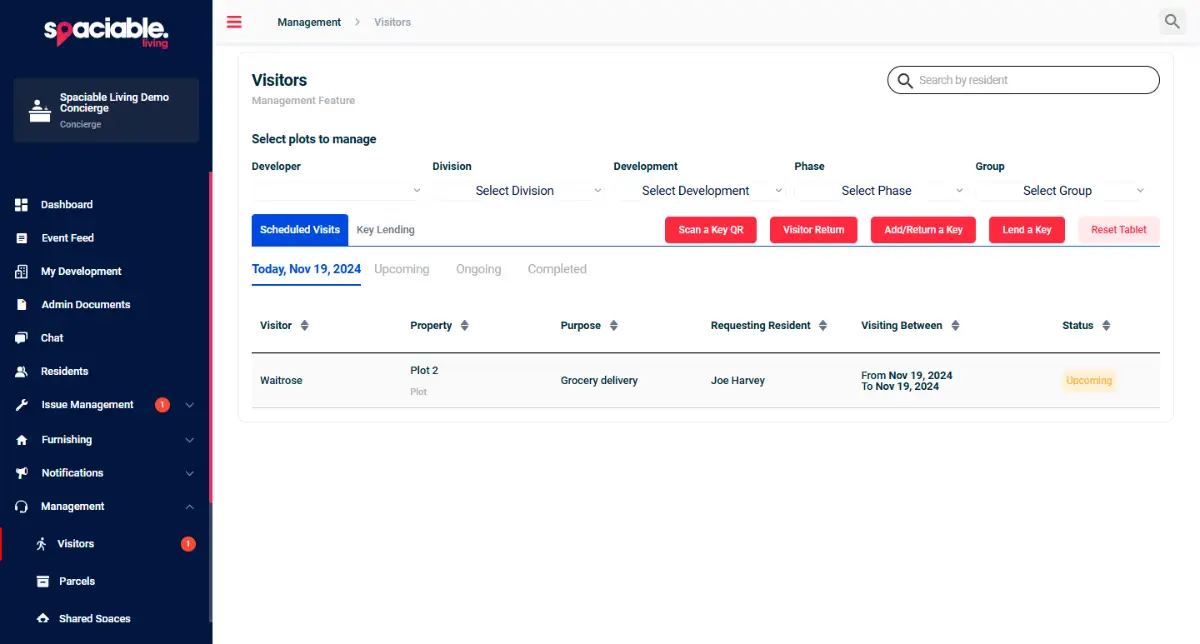
For concierge and reception teams.
- Details of keys left at reception
- Upcoming visits arranged by residents
- Audit trail of authorised visitors
For residents.
- Add expected visitors
- Set key-release times
- A QR code for each visit
Why move key lending out of the logbook.
Paper key logs are hard to check and rely on reception remembering what each resident asked for.
Spaciable records who is authorised to collect a key and when, so there is a clear audit trail.
Because key management sits in the same platform as every other Spaciable feature, there is no separate licence to pay for, and no extra system for your team to learn.
- Security
- Only authorised visitors collect keys.
- Convenience
- Residents don’t need to be home.
- Audit trail
- Every authorised visit is recorded.
- Clear handover
- Reception sees what is expected each day.
Used most in.
Related features.
Key management FAQs.
How do residents authorise key release?+
Residents add details for expected visitors in their app, so keys can be released between set times.
How does reception know who to give a key to?+
Each visit has a QR code that is scanned at reception.
Can we see which keys are held at reception?+
Yes. The Office Portal shows details of any keys left at reception.