

Shared space booking for residential amenities.
Residents book the gym, workspace, lounge or cinema room from their app, and pay any fee or deposit through Stripe. Your team sets up each space, tracks bookings and reviews feedback from the Office Portal.
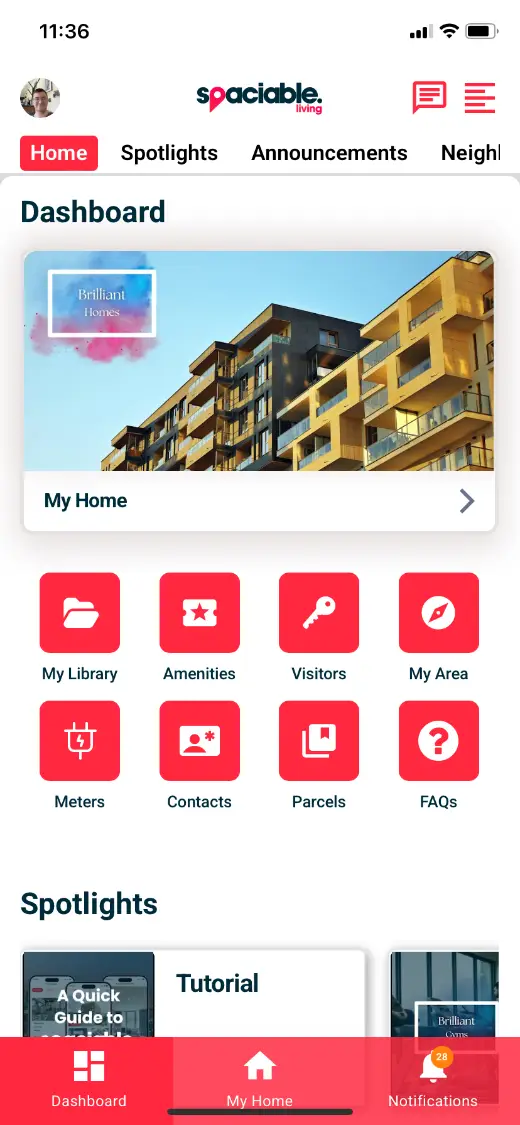
- Open Amenities from the dashboard.
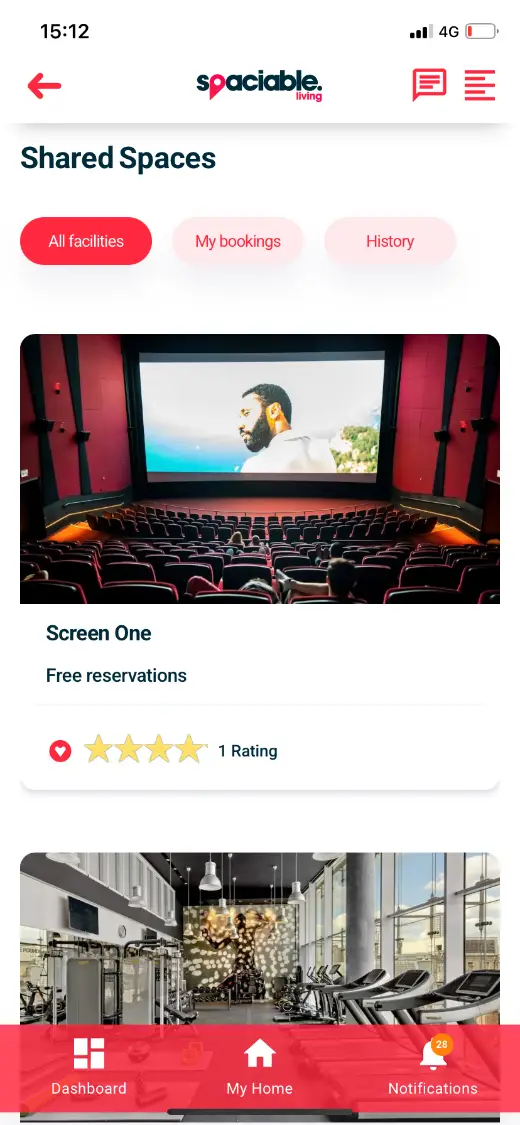
- Browse the spaces available to you.
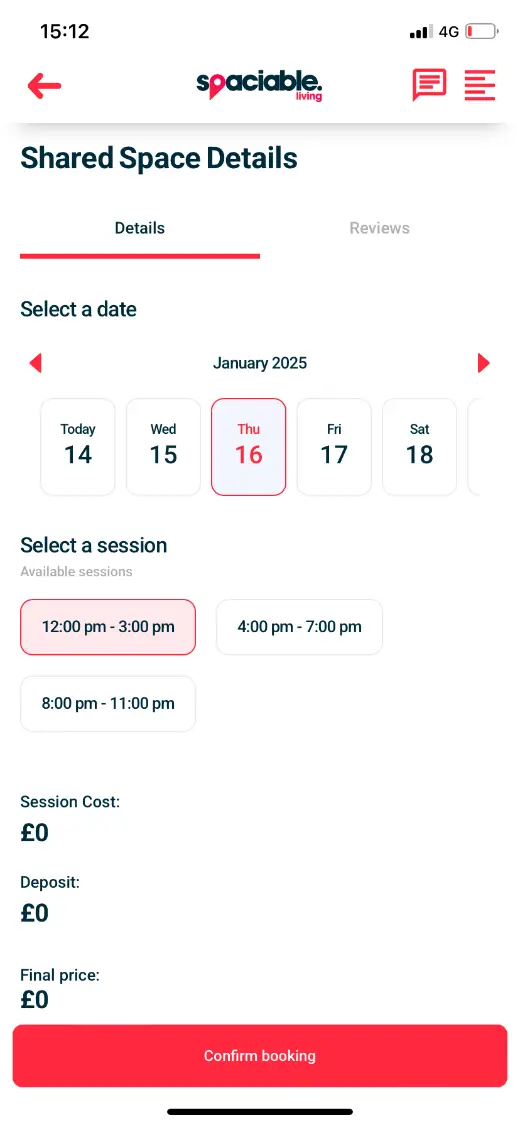
- Pick a date and session, then confirm.
How shared space booking works.
- 01
Set up the space.
Create each space in the Office Portal with its sessions, costs and deposits.
- 02
Residents book.
Residents choose a date and time and, if there is a fee or deposit, pay securely through Stripe.
- 03
Collect feedback.
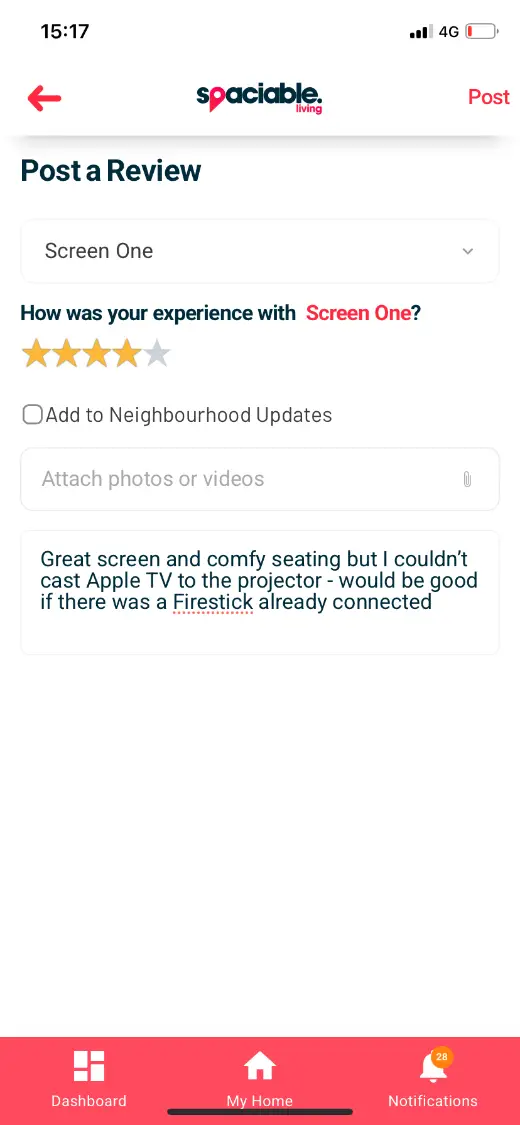
Residents review the space, giving you data to make evidence-based decisions about usage and return on investment.
One feature, two views.
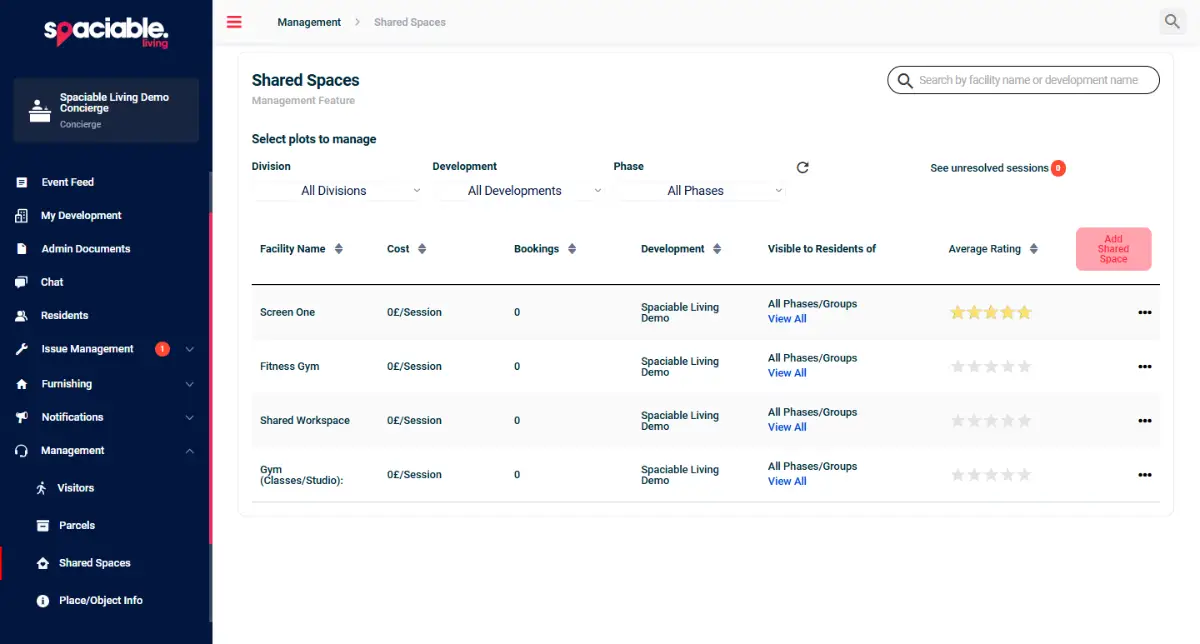
For concierge and site teams.
- Create and edit shared spaces
- Manage costs and deposits
- Track every booking
- Review resident feedback
For residents and tenants.
- See every space available to you
- Book a date and session
- Pay securely through Stripe
- Leave a rating and review
Why teams stop managing bookings by email.
On-site amenities add to the resident experience, but taking bookings by email, phone or paper sheet adds admin for site staff.
Moving bookings into the resident app means residents can book themselves, and your team can see how each space is used.
Because shared space booking sits in the same platform as every other Spaciable feature, there is no separate licence to pay for, and no extra system for your team to learn.
- Less admin
- Bookings and payments happen in the app, without staff involvement.
- Payments handled
- Fees and deposits are taken securely through Stripe.
- Better decisions
- Ratings and reviews show which spaces residents value.
- Fewer clashes
- Residents only see the sessions that are still available.
Used most in.
Related features.
Shared space booking FAQs.
What kinds of spaces can residents book?+
Any on-site amenity, including gyms, workspaces, residents’ lounges and cinema rooms. Your team adds and manages them from the dashboard.
Can we charge for bookings?+
Yes. You can set a fee or deposit for each space, and residents pay securely through Stripe.
Can spaces be free to book?+
Yes. Set the cost to zero and residents can reserve sessions free of charge.
Can residents leave feedback?+
Yes. Residents can rate and review each space, and your team can see the feedback in the Office Portal.