

A management dashboard for every development.
Each member of your team gets their own login to the Spaciable Office Portal. From one place they invite residents, respond to issues, send surveys and notifications, manage shared spaces and track activity across every development.
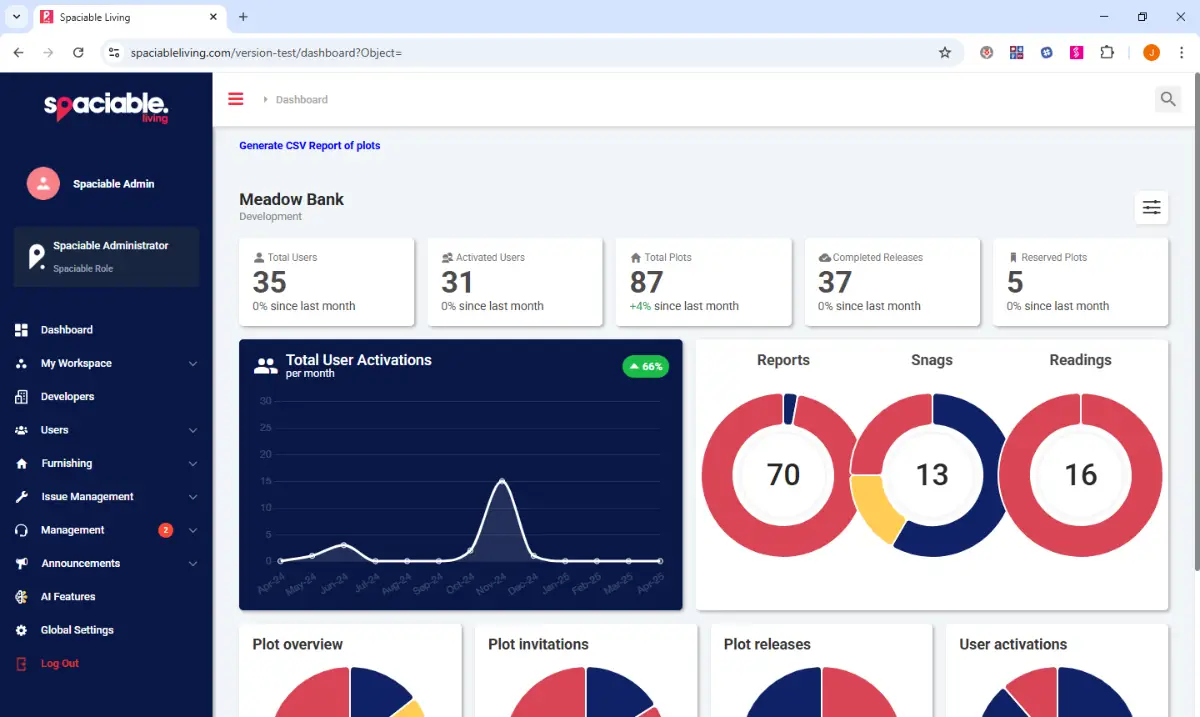
- See activity across your developments.
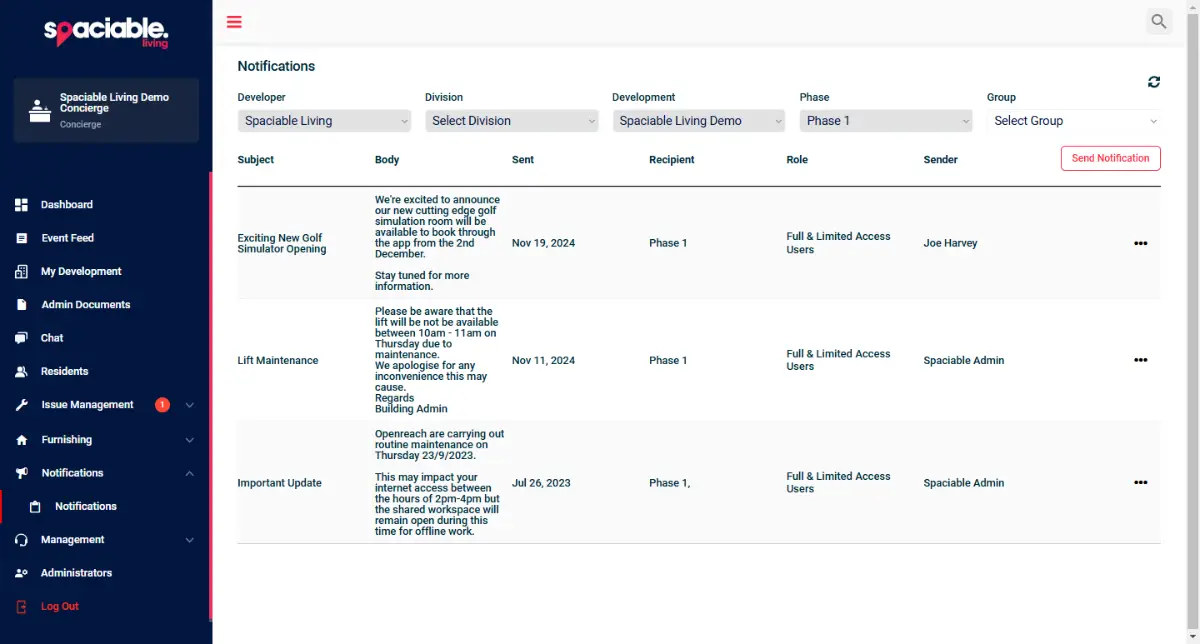
- Send and review notifications.
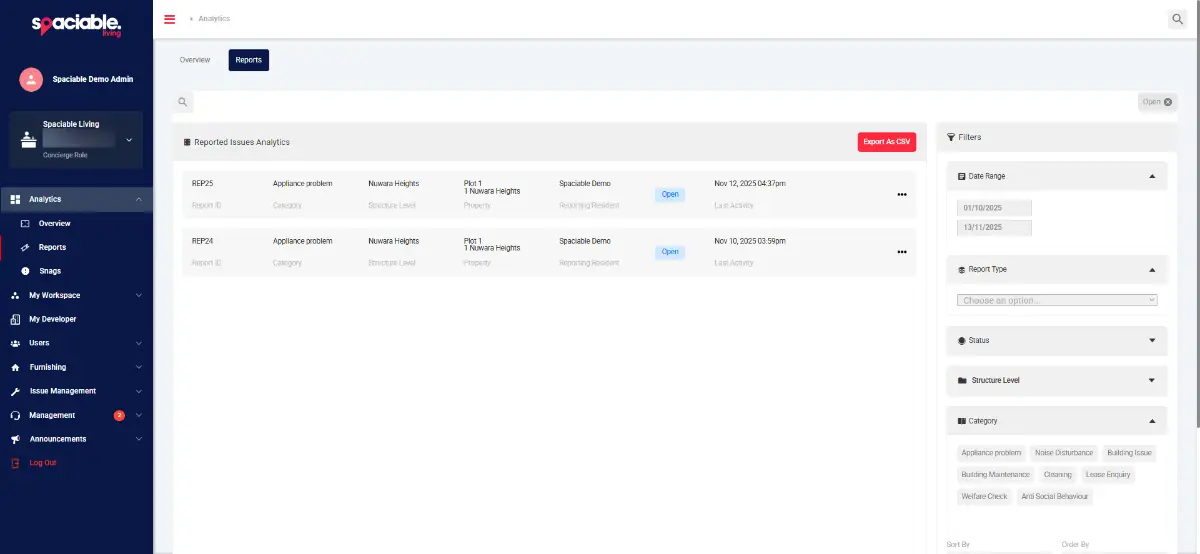
- Filter and export issue reports.
How management dashboard works.
- 01
Give everyone a login.
Individual accounts for sales, site and customer care teams, so every action is recorded against the right person.
- 02
Manage residents and plots.
Invite residents as soon as they express interest, then manage plots, documents and contacts by development, phase or plot.
- 03
Communicate and report.
Send notifications by push, email or SMS, run surveys, and export reports as CSV.
One feature, two views.
For sales, site and customer care teams.
- Analytics for users, plots, reports, snags and readings
- Filter by division, development, phase or plot group
- Live information around developments via QR codes
- Ability to send surveys and event invitations
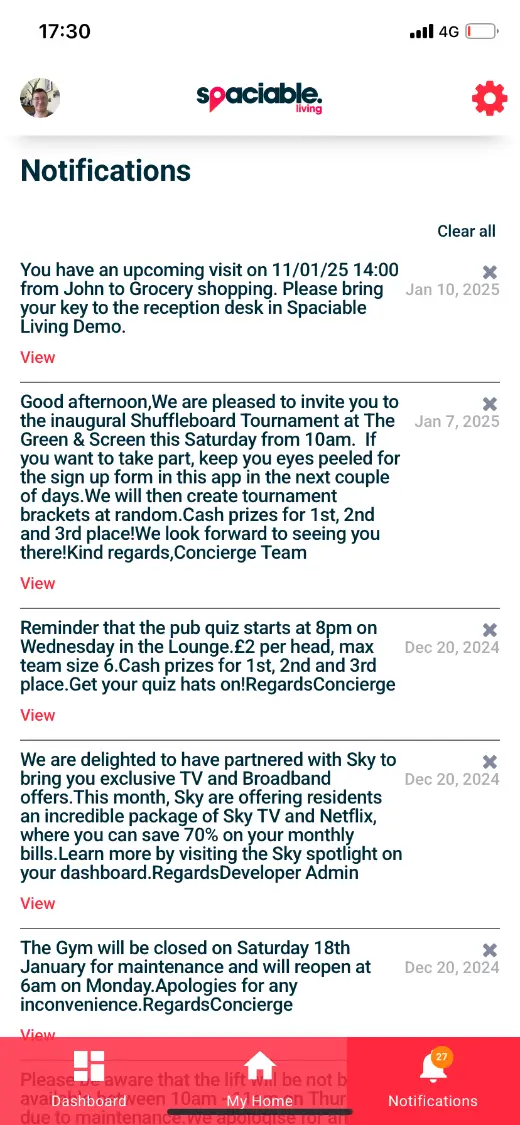
For homebuyers, residents and tenants.
- Notifications by push, email or SMS
- Build progress updates in line with NHQB requirements
- Plot-specific information
- Available in your own branding
Why teams replace spreadsheets and shared inboxes.
When resident information sits across spreadsheets, inboxes and separate tools, every update takes longer and things get missed.
The Office Portal keeps it in one place for every development, with the same view for every team member.
One login covers every Spaciable feature, replacing multiple disparate and expensive licences with a single platform.
- One login per person
- Each team member has their own account, so you can see who did what.
- A portfolio view
- Move between divisions, developments and phases without switching systems.
- Messages that get read
- Push, email and SMS notifications are less likely to be ignored or land in spam.
- A record for compliance
- Build progress updates and sent notifications are kept, supporting NHQB requirements.
Add every team member. No per-seat pricing.
Unlike many SaaS products, Spaciable doesn't charge per user. Developers can add as many people as they need, so every team works from the same information across every project.
Sales agents+
Track every reservation from one view and see where each buyer is in their journey. Share documents and updates through the portal instead of chasing by email, so buyers stay informed and fall-throughs are easier to spot early.
Site and handover teams+
Post build progress updates and manage handover appointments for each plot. Everyone sees the same completion status, so handovers run to schedule without manual cross-checking between site and office.
Aftercare teams+
Receive defect and snag reports with photos, assign them to contractors and track each one to resolution. A full record of every issue and message is kept against the home.
C-suite+
See the entire portfolio at a glance, across divisions, developments and phases. Comprehensive reporting shows how each development is performing, from sales progress to aftercare resolution.
See reporting in Spaciable 2.0 →Used most in.
Related features.
Management dashboard FAQs.
Can each team member have their own login?+
Yes. Your teams access the admin dashboard through individual accounts, so activity is recorded against each person.
Can we manage more than one development?+
Yes. You can work at division, development, phase or plot level, and view activity across your whole portfolio.
Can we export data?+
Yes. Reports can be exported individually or in bulk as CSV files for further analysis.
Does it help with NHQB requirements?+
You can send build progress updates to residents from the dashboard, keeping them informed in line with NHQB requirements.